
v0.1IN PROGRESS
Coming soon- Constraint-based 2D sketcher driven by a Newton-Raphson solver
- Seventy-two geometric and dimensional constraint types
- Degree-of-freedom analysis that drives entity colour and the DOF overlay
Professional design tools shouldn’t be out of reach.
Pingendum is a CAD application being developed for 2D and 3D design. Its initial release is a precise 2D drafting environment — one that draws to exact dimensions rather than approximate ones — built for engineers, designers, students, makers and small manufacturers who need a more accessible way to turn ideas into real designs. 3D solid modelling is currently in development as the next stage.
Pingendum began with a straightforward frustration: professional CAD tools can be expensive, particularly for people building independently or starting small.
Students may have access through educational programmes. Large companies can budget for professional software. But the gap can still be significant for the independent engineer, maker, small manufacturer, or person trying to turn an idea into something real.
Henrik Pryter started Pingendum after experiencing that barrier firsthand. The goal was simple: build precise design tools that are within reach of the people who need them.
Henrik PryterFounder
Build the idea. Not the software bill.
The common thread isn’t a job title. It’s needing a drawing to be exact without needing an enterprise CAD setup to get there.
For precise 2D geometry and technical sketches that need to hold their dimensions.
For turning concepts into dimensioned designs that can be shared and built from.
For learning constraint-based design when educational access isn’t available or doesn’t fit.
For designing parts that are going to be cut, printed, machined or built for real.
For shops that need practical drawing tools without the cost structure of enterprise CAD.
For people developing their own ideas without a large company or engineering team behind them.
Pingendum is for the drawing you intend to make something from. Every feature below is both sized and located — enough to make the part from the drawing alone.
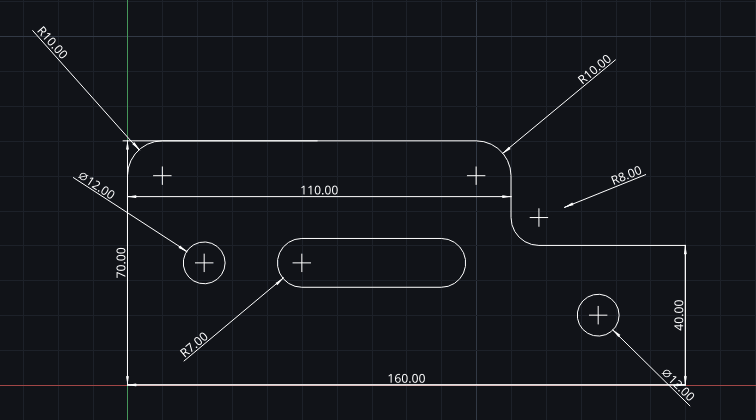
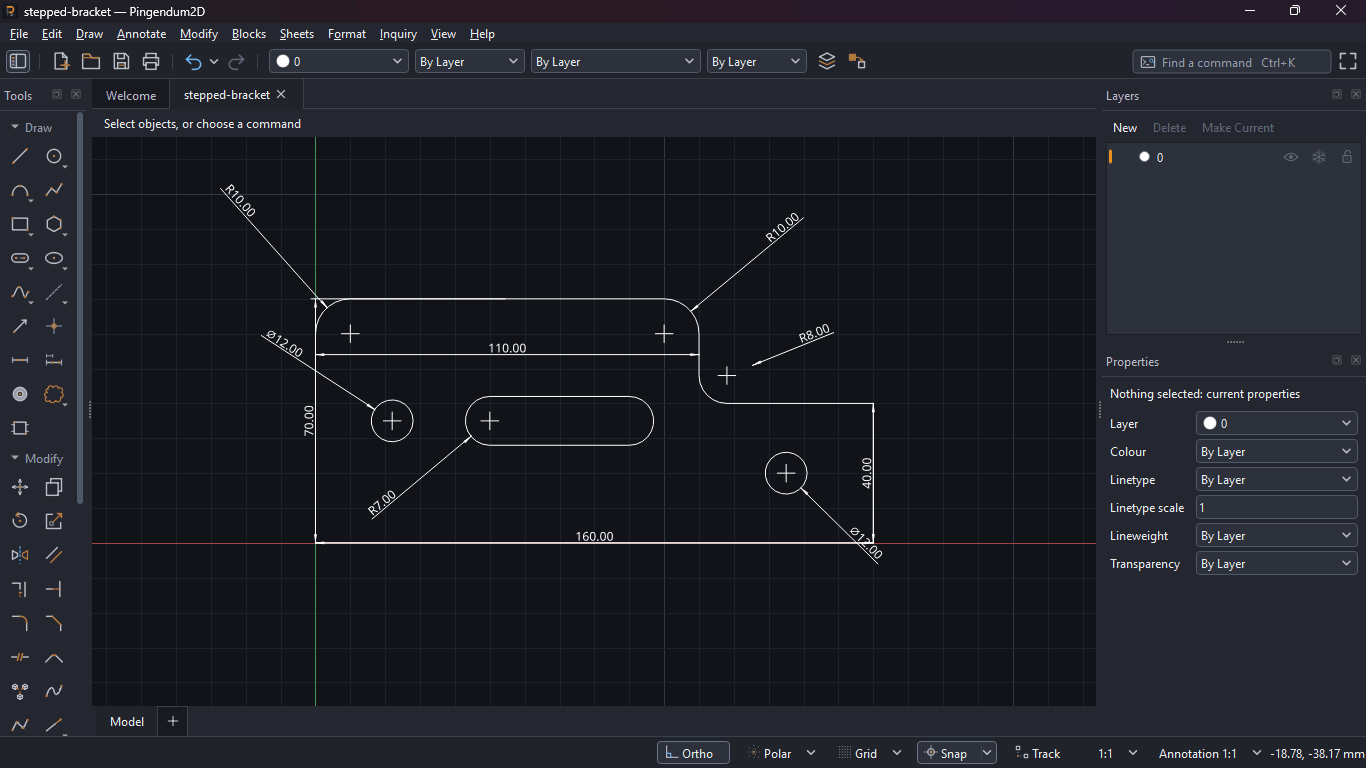
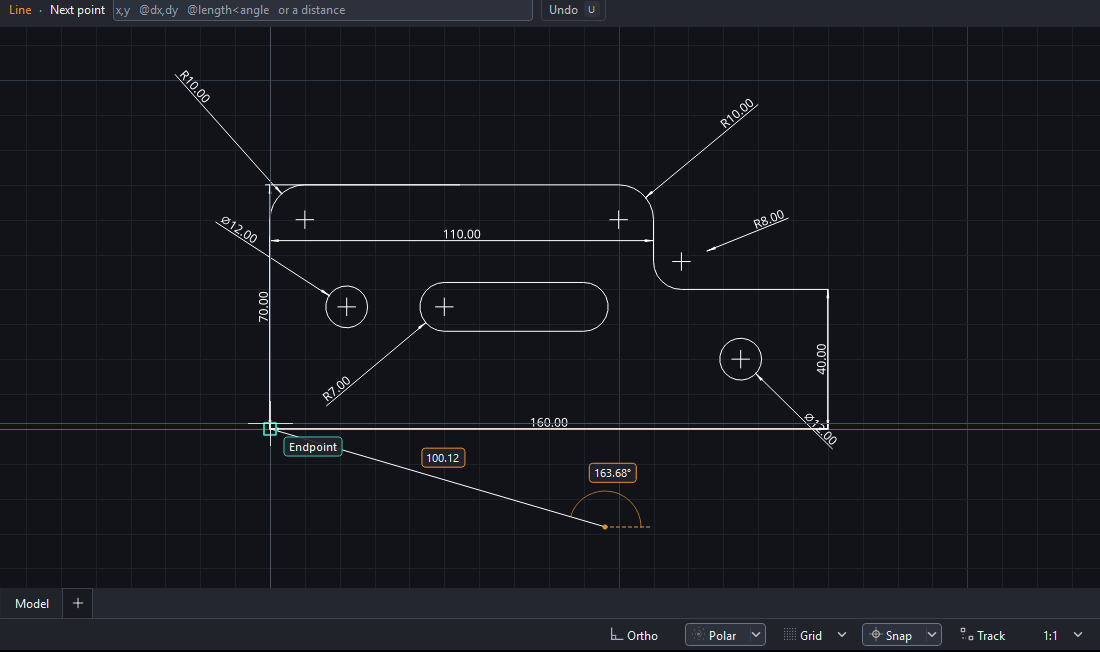
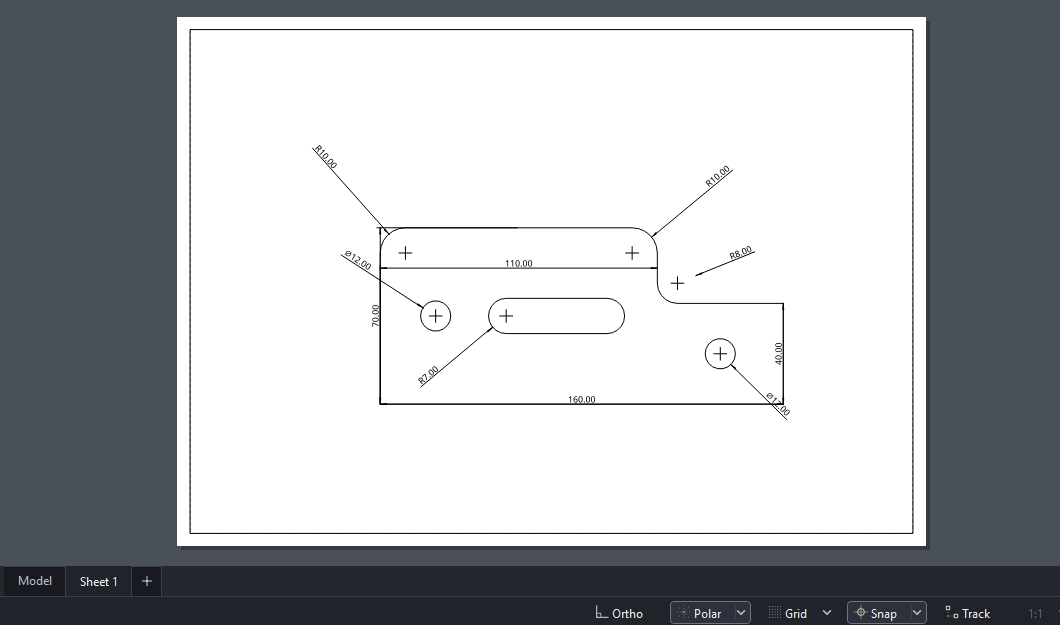
Stepped bracketTen dimensions — 160 overall, 70 high, stepping down to 40 at 110, R10 corners and an R8 inside the step, two 12 mm holes and an R7 slot, drawn from typed coordinates and dimensioned from the geometry itself.
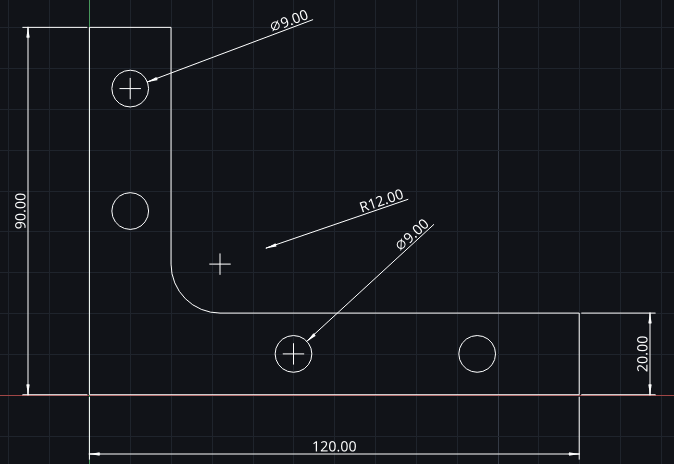
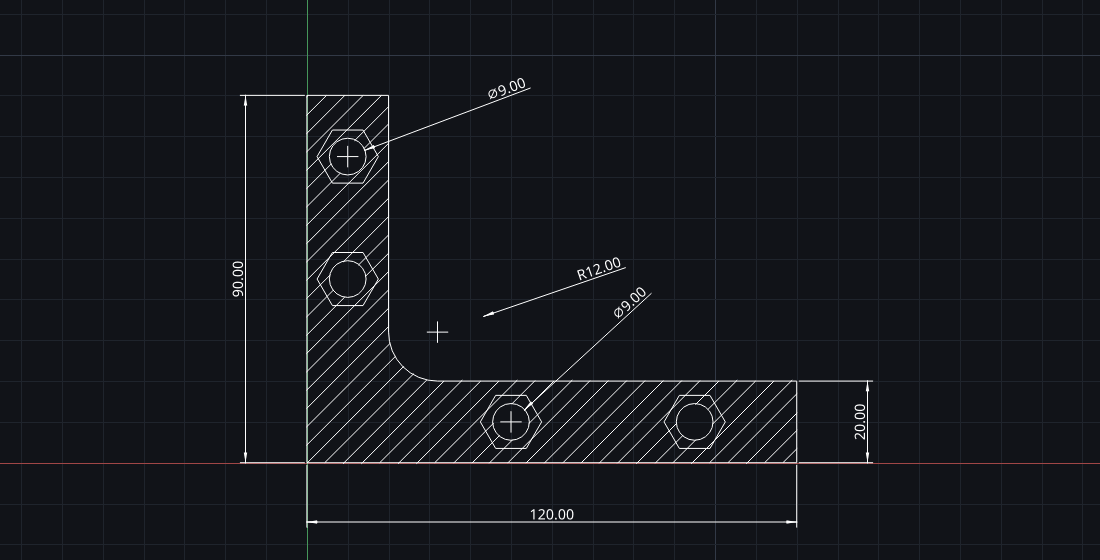
Angle bracketSix dimensions — 120 along the base, 90 up the upright, a 20 wall on each leg, an R12 fillet where they meet, and four 9 mm holes. Drawn from typed coordinates, one segment at a time.
Closed profiles with steps, notches and radii, dimensioned end to end so the shape is defined rather than approximated.
Mounting holes and bolt circles placed to dimension instead of by eye. The servo horn in the hero carries six of them at 2.00.
Straight slots drawn to a typed length and width, then trimmed into the surrounding profile.
Corner treatments applied in the sketch and carried by the solver. The bearing pedestal below closes with two 21.21 chamfers at 135 and 225 degrees.
Driven dimensions that measure without over-constraining, and construction lines that guide without joining the profile.
DXF for the next tool in the chain, or a plotted PDF sheet for someone who just needs to read it.
Object snaps hold the cursor to endpoints, midpoints, centres, intersections, perpendiculars and tangents, and a marker tells you which one you are about to take before you commit to it.
Give a length and an angle, or absolute and relative coordinates, straight at the cursor. Ortho, Polar and Track keep a line where you intended it rather than where the mouse landed.
Drag a grip to stretch, move or rotate what is already there, or type an exact value into the Properties panel. Select by Properties finds every object that matches and edits them in one go.
Export DXF for the next tool in the chain, or lay the drawing out on a sheet at a stated scale and plot it to paper or PDF for someone who just needs to read it.
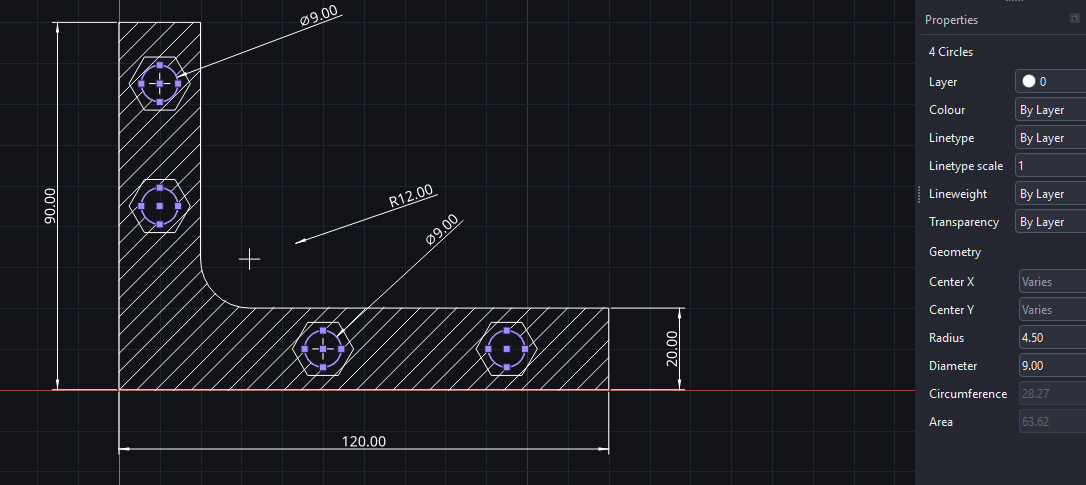
Three captures of the application on real drawings — getting the geometry right, repeating what repeats, and getting the drawing out.
Object snaps hold the cursor to the endpoint, midpoint, centre or intersection you are aiming at, and a marker names the one you are about to take. Ortho and Polar lock a line to the angle you want, Track runs guides out from points you have already used, and anything you would rather state than aim at can be typed — a length and an angle, or a coordinate — straight at the cursor.
Click inside an outline and Hatch fills it, leaving holes clear and following the outline if you edit it. Anything you draw more than once becomes a block: make it once, place it wherever it goes, and every placement changes when you redefine it.
Model space holds the part at full size. A sheet holds the drawing of it: place a viewport, set the scale it is viewed at, and add the border, the title block and the notes in paper millimetres, where they stay the size you drew them whatever the scale. Plot the sheet to paper or PDF, or export DXF for the next tool in the chain.
Put the geometry down.
Change what you have drawn.
Say what it measures.
Keep it in order, then get it out.
Pingendum is a CAD application for 2D and 3D design. The 2D drafting environment is the part that is finished, so it is the part being released first.
Geometry, the full constraint toolkit, degree-of-freedom feedback, diagnostics, grid snap, drafting aids and reference dimensions.
Pad, pocket, revolve, fillet, chamfer, shell and patterns are already built. They are not what this first release is for, and will arrive in a later build with the documentation that covers them.
Projects save to Pingendum’s own versioned format. Drawings import and export as DXF — R12 or R2000, geometry on layer 0 and construction geometry on its own layer — though dimensions and constraints are not carried across, because DXF has no way to represent them. Drawings also plot to a PDF sheet or a printer at a real scale, with an ISO title block and hidden, frozen and non-plot layers left off the paper. There is no DWG, STEP or STL export.
On the long-term roadmap only. Neither is promised for a date, and neither is being sold to you today.
Work beyond the sketcher is tracked in the changelog as it lands, and the documentation covers the sketcher chapter by chapter.
Pingendum is under active development ahead of its 2D release. Every update is logged — no silent changes.
The 2D sketcher is being prepared for its first release. Join the waitlist to be notified when early access opens.